Library-19
System Design
Role
UX/UI Designer
Industry
Education
Duration
3 weeks
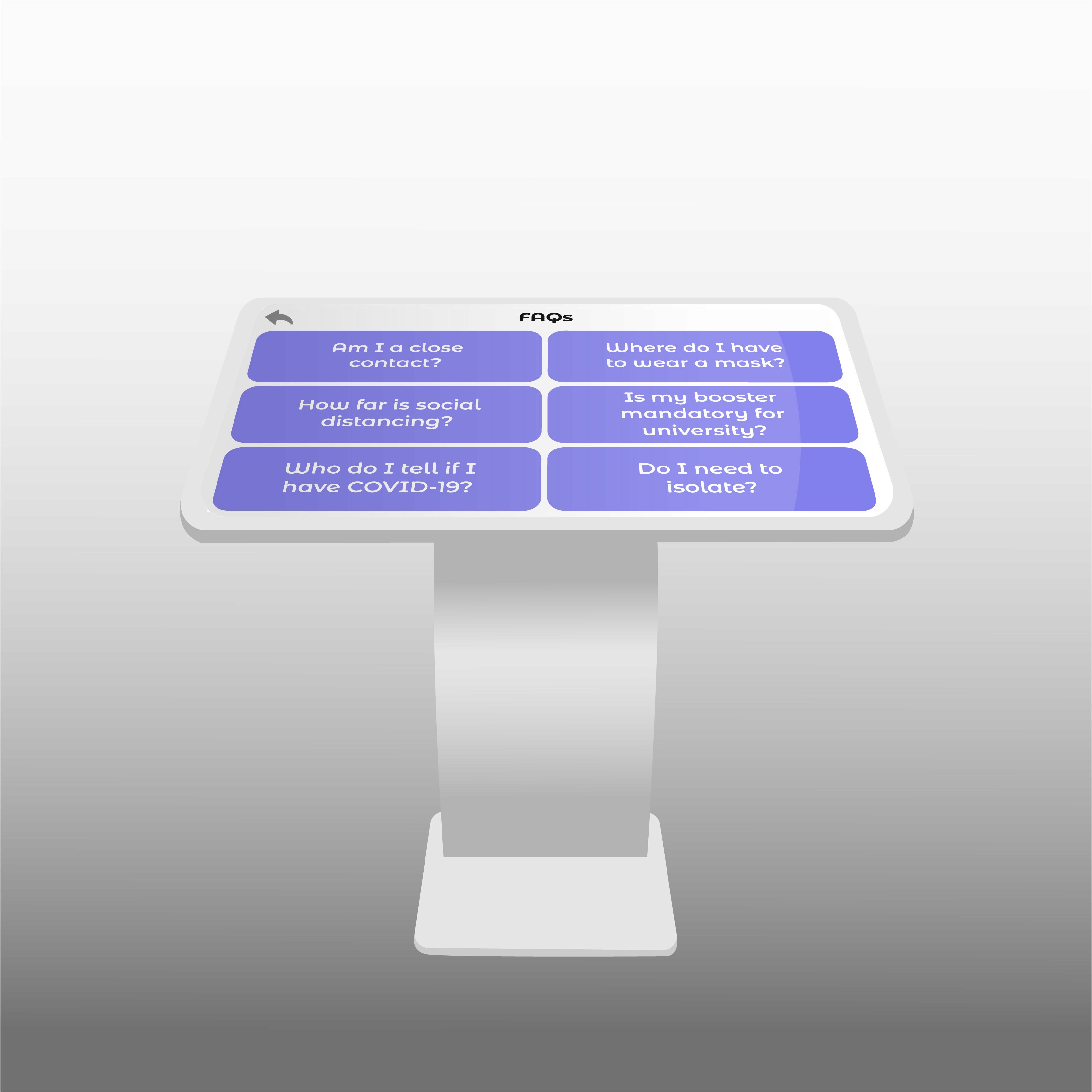
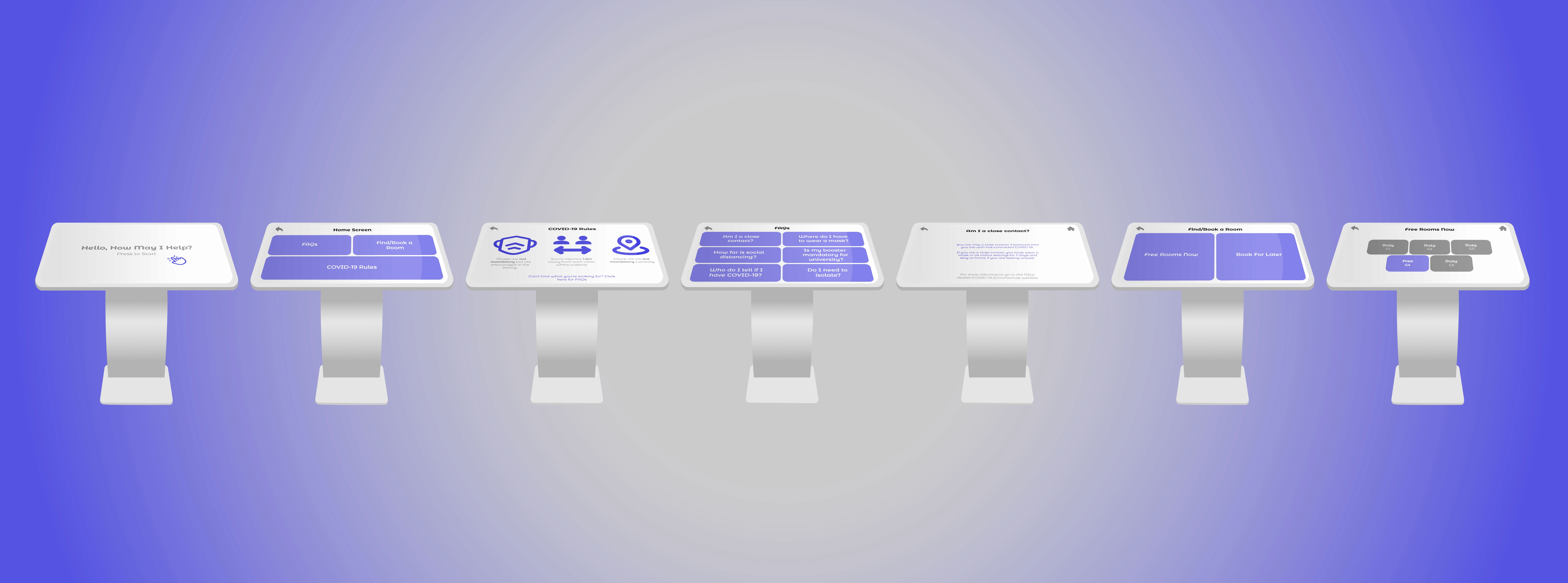
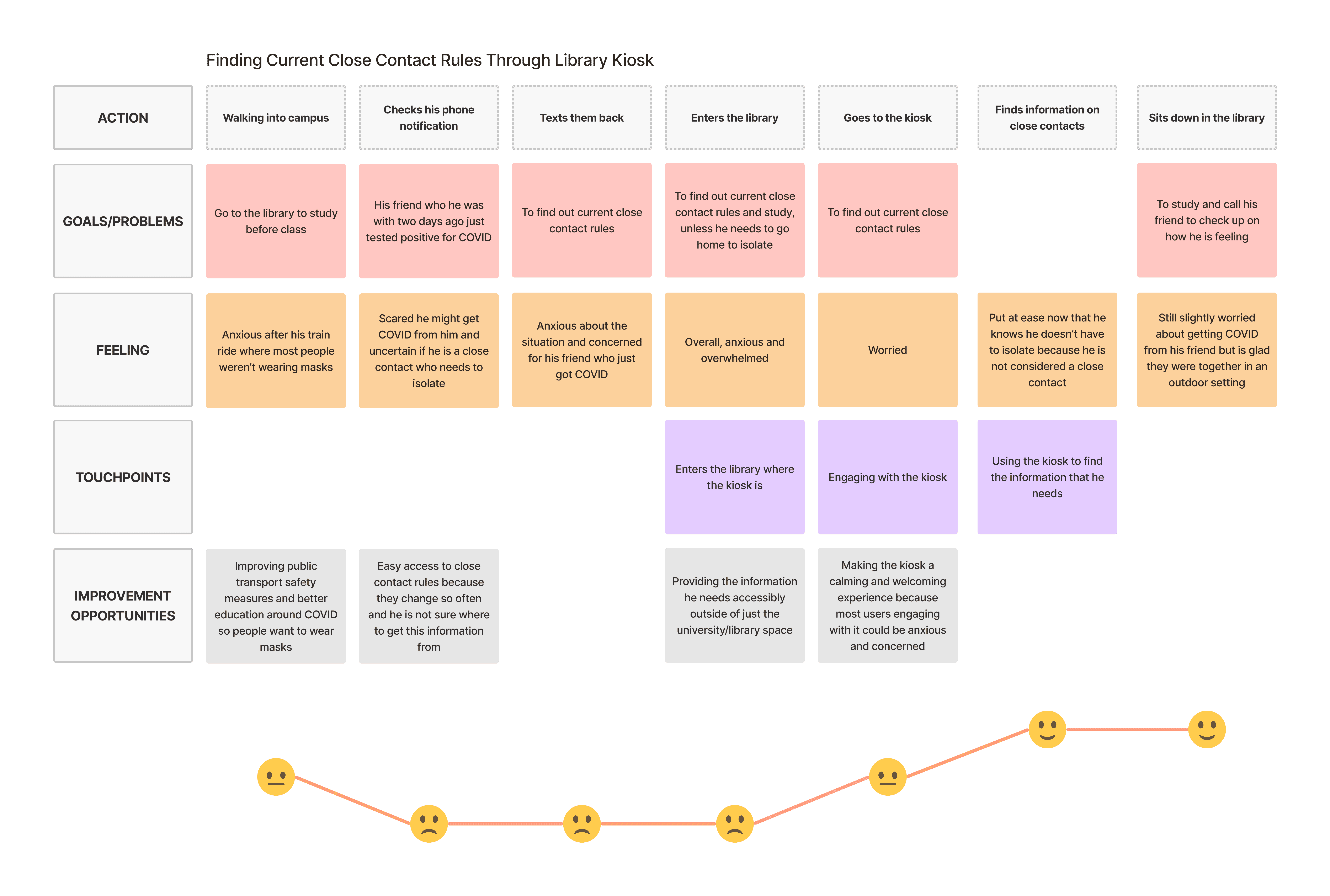
This project is born from a brief requiring technology for a COVID-safe space. My interactive technology was a library digital kiosk for introducing better COVID-safe measures in a university library setting. The high-fidelity prototype allows students to book library spaces, safely social distance, and access current COVID health mandates with ease. This assessment required a lot of research on the user group and problem space to create an effective outcome. Through empathy maps, user journeys, user personas, cultural probes, scenarios, task flows, and storyboards, I was able to position this technology within the user group. Multiple rounds of user testing significantly contributed to the final outcome and allowed for a sleek, minimalist, user-friendly high-fidelity prototype.
Stage 1. User Research
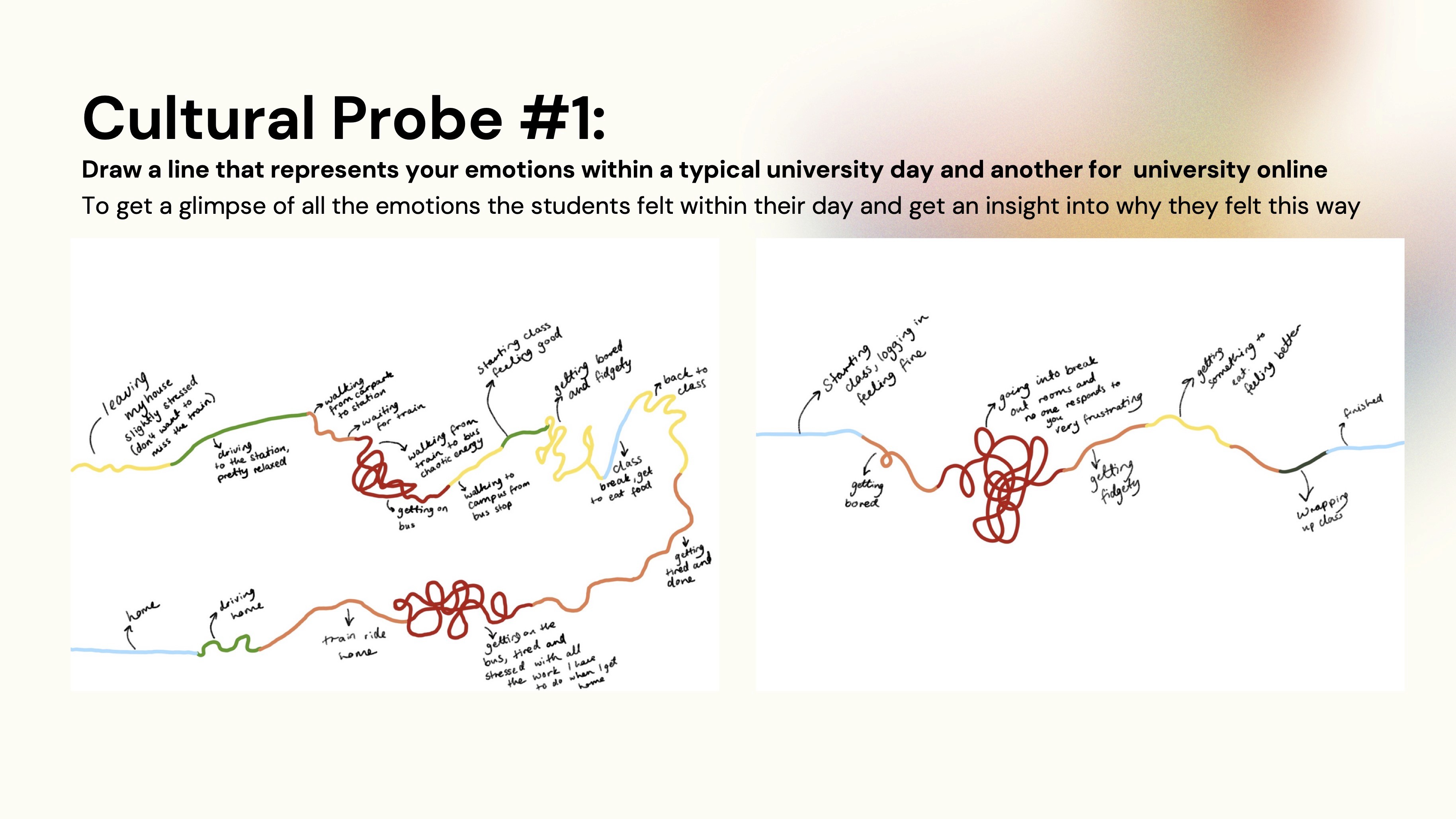
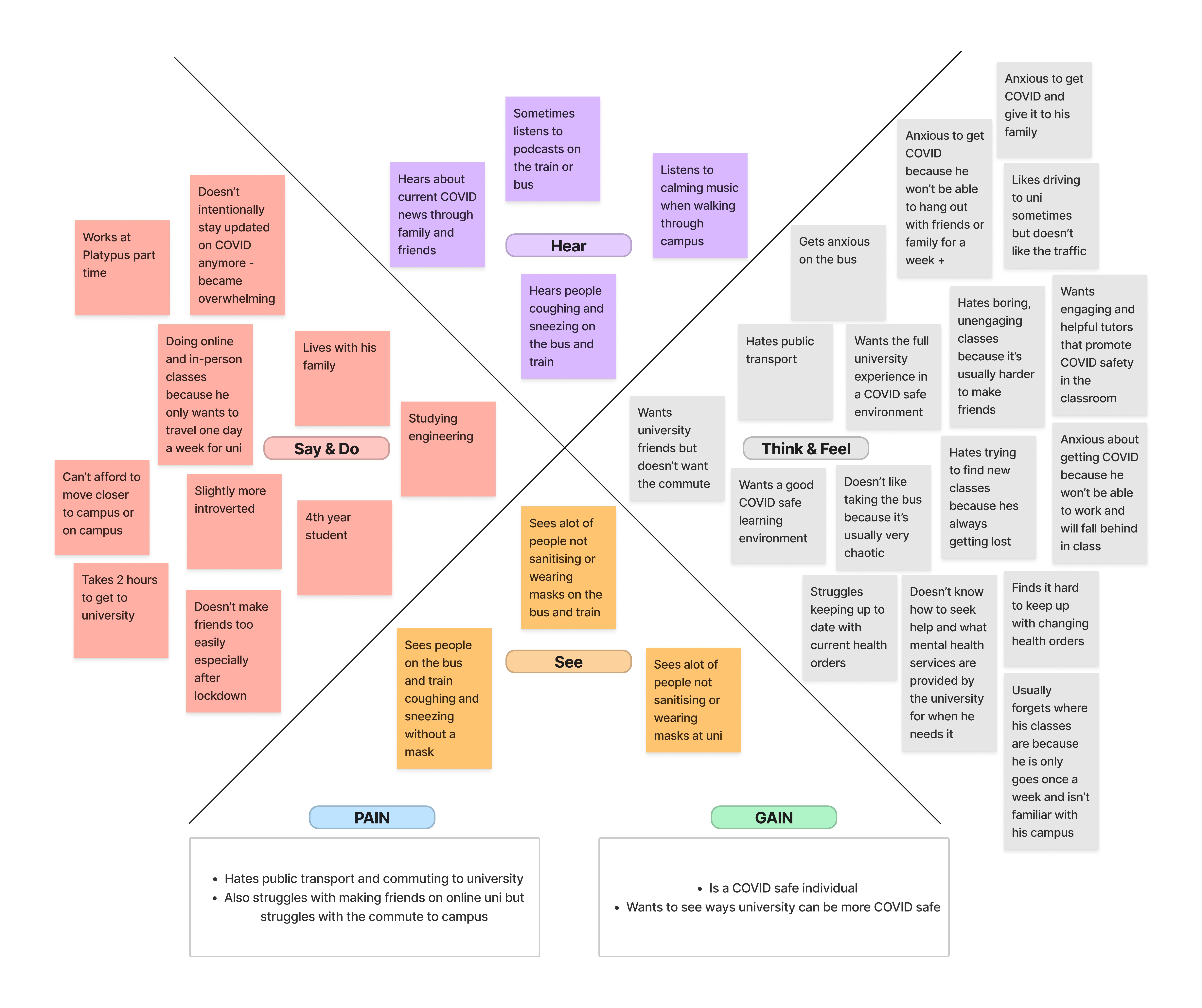
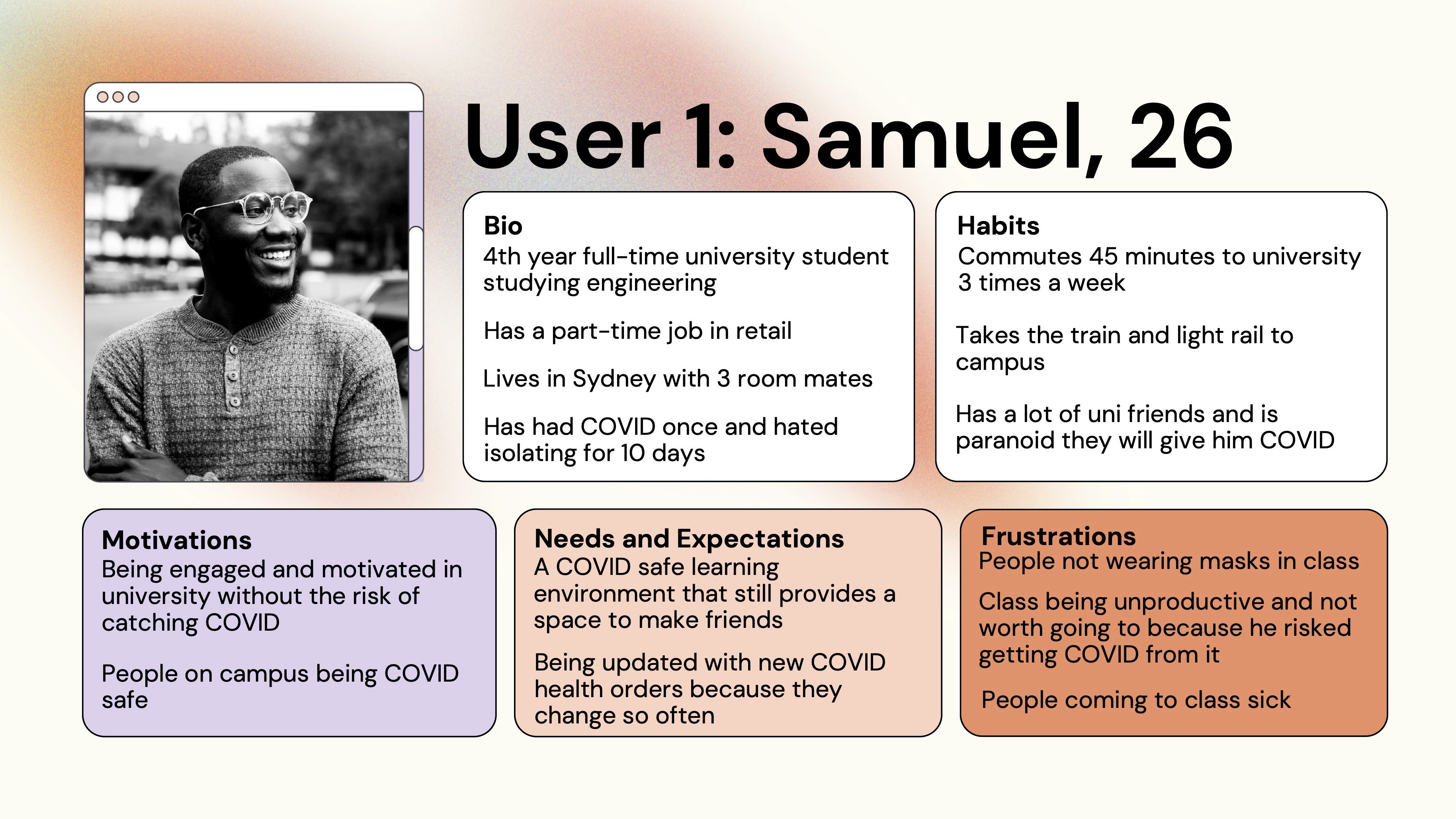
Stage 1 involved collecting as much user research as possible. Casting my net wide allowed for optimum outcomes and promoted user empathisation. Stage 1 consisted of cultural probing through various activities, story boarding, user personas, and empathy mapping.
Stage 2. Ideation & Conceptualisation
Ideation and conceptualisation involved lots of brainstorming and several mind mapping in order to condense all my user research and move forward establishing the most effective outcome for the assigned problem space.
Stage 3. Design Execution
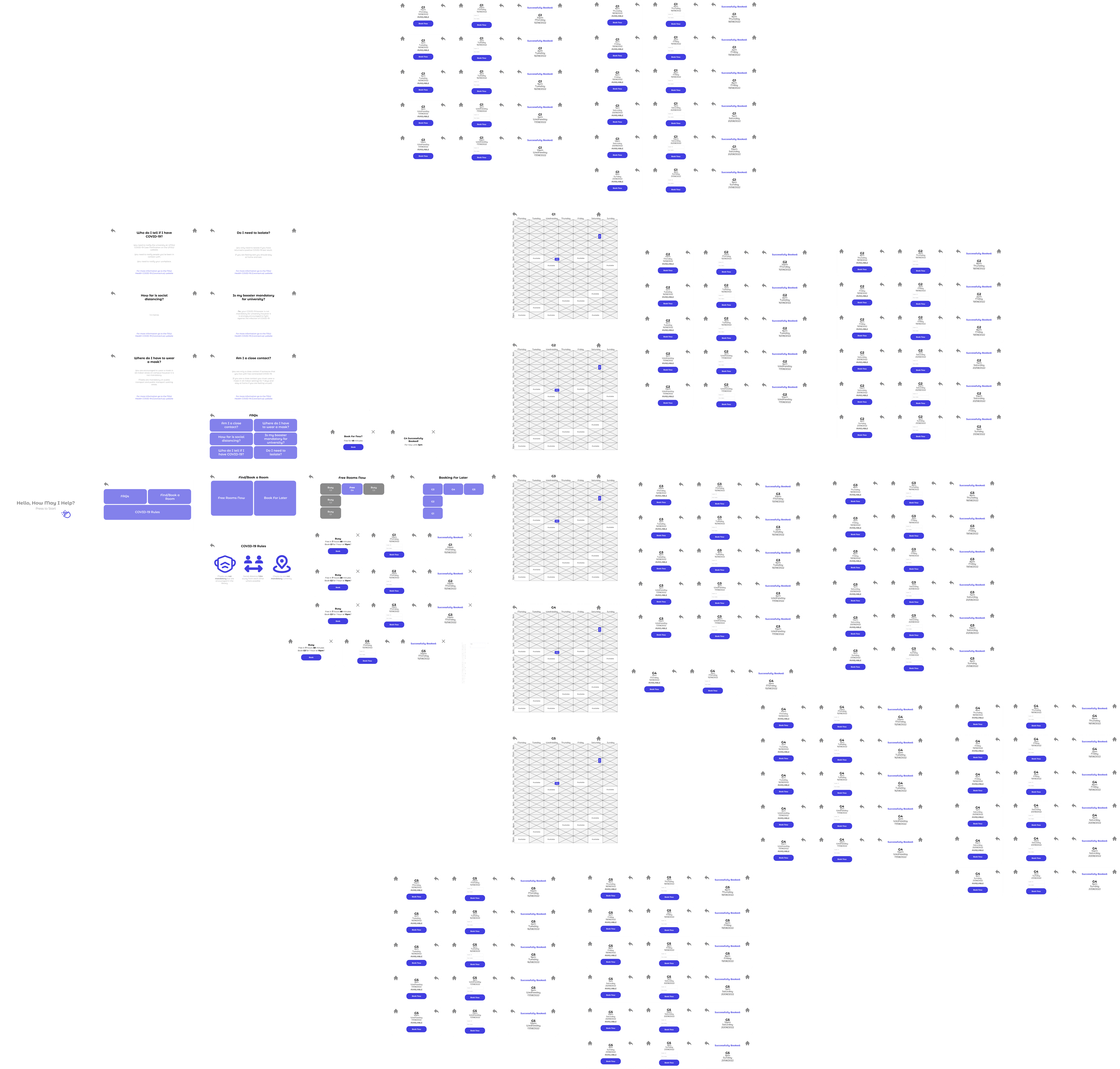
Wireframing: Developed over 60 wireframes for various app screens, meticulously planning each element of the user interface to ensure intuitive navigation and a seamless learning experience. These wireframes served as the foundation for the app's structure, focusing on facilitating easy access to educational content and interactive features.
Prototyping: Utilized advanced features in Figma to create interactive prototypes, enabling realistic user interactions. Conducted live prototype demonstrations to stakeholders, providing a tangible sense of the app's look and feel, as well as its functionality.
UI Design: Crafted a visually appealing and accessible user interface, selecting a color palette that promotes concentration and creativity, alongside typography that improves readability across various devices. Integrated feedback from stakeholders to refine the UI, ensuring that it not only looks appealing but also aligns with educational goals.
This project is born from a brief requiring technology for a COVID-safe space. My interactive technology was a library digital kiosk for introducing better COVID-safe measures in a university library setting. The high-fidelity prototype allows students to book library spaces, safely social distance, and access current COVID health mandates with ease. This assessment required a lot of research on the user group and problem space to create an effective outcome. Through empathy maps, user journeys, user personas, cultural probes, scenarios, task flows, and storyboards, I was able to position this technology within the user group. Multiple rounds of user testing significantly contributed to the final outcome and allowed for a sleek, minimalist, user-friendly high-fidelity prototype.
Stage 1. User Research
Stage 1 involved collecting as much user research as possible. Casting my net wide allowed for optimum outcomes and promoted user empathisation. Stage 1 consisted of cultural probing through various activities, story boarding, user personas, and empathy mapping.
Stage 2. Ideation & Conceptualisation
Ideation and conceptualisation involved lots of brainstorming and several mind mapping in order to condense all my user research and move forward establishing the most effective outcome for the assigned problem space.
Stage 3. Design Execution
Wireframing: Developed over 60 wireframes for various app screens, meticulously planning each element of the user interface to ensure intuitive navigation and a seamless learning experience. These wireframes served as the foundation for the app's structure, focusing on facilitating easy access to educational content and interactive features.
Prototyping: Utilized advanced features in Figma to create interactive prototypes, enabling realistic user interactions. Conducted live prototype demonstrations to stakeholders, providing a tangible sense of the app's look and feel, as well as its functionality.
UI Design: Crafted a visually appealing and accessible user interface, selecting a color palette that promotes concentration and creativity, alongside typography that improves readability across various devices. Integrated feedback from stakeholders to refine the UI, ensuring that it not only looks appealing but also aligns with educational goals.
Stage 4. User Testing & Iterations
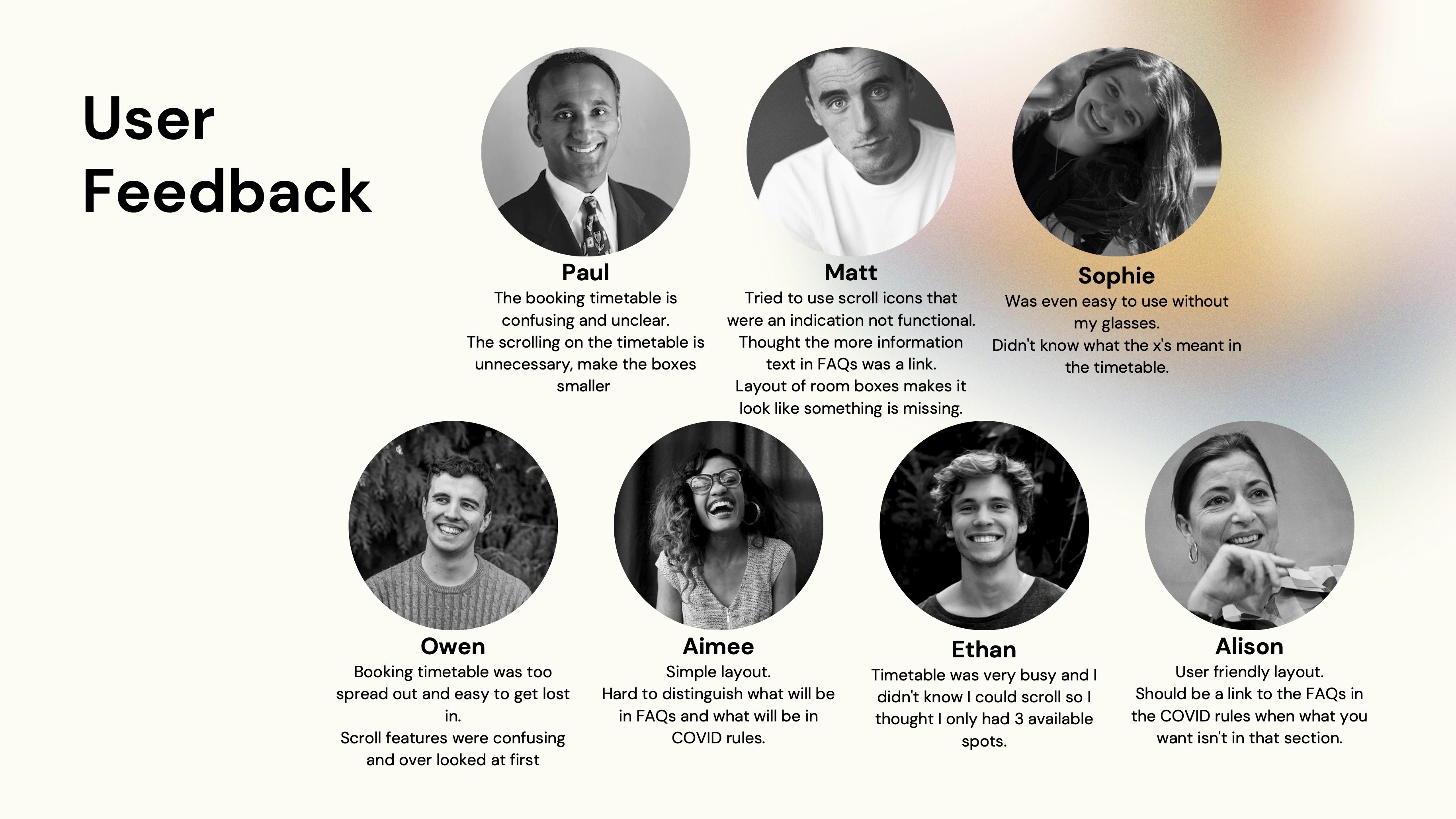
User testing was one of the most significant aspect of this project. There was a series of user testing sessions employing both qualitative and quantitative methods to evaluate the kiosk's usability and effectiveness. Analysed feedback to identify patterns and areas for improvement, leading to several design iterations that enhanced user engagement and satisfaction.
Stage 5. Final Presentation and Documentation
Prepared an in-depth presentation and comprehensive documentation detailing the research findings, design rationale, user testing outcomes, and the iterative design process.
Reflections
This project was a testament to the importance of thorough user research and user testing in creating solutions that truly meet user needs. It honed my skills in user testing, problem-solving, and effective communication, setting a solid foundation for my future endeavors in UX/UI design.
Reflections
This project was a testament to the importance of thorough user research and user testing in creating solutions that truly meet user needs. It honed my skills in user testing, problem-solving, and effective communication, setting a solid foundation for my future endeavors in UX/UI design.